
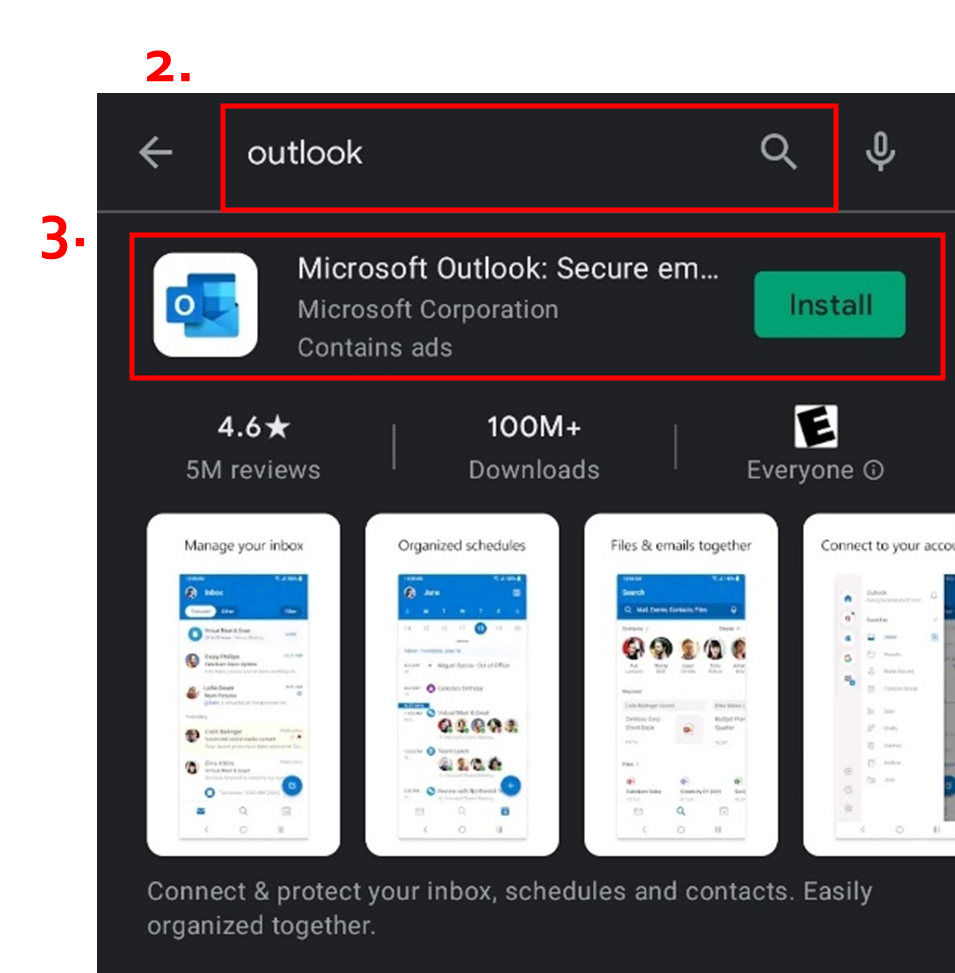
- Go to the Play Store (Android) or App Store (Apple).
- Search for Outlook
- Tap Install/Get.
- Open Outlook, tap Add Account.
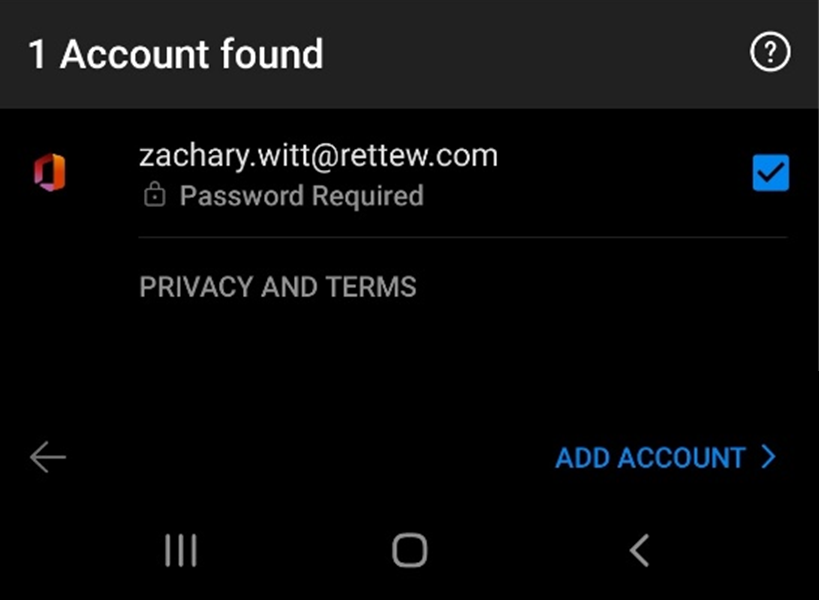
- If it shows 1 Account Found, verify it is your work email address and tap Add Account and skip to step 7. Otherwise, uncheck the account and tap Skip. If this screen does not show, skip to step 6.
- Enter your Email address and tap Continue/Add Account.
- Enter your network password and tap Sign In.
- ANDROID ONLY: You may receive a pop up saying “Activate device administrator”, tap Activate, and then Activate
- Tap Maybe Later to finish set up.
Comments
0 comments
Please sign in to leave a comment.