
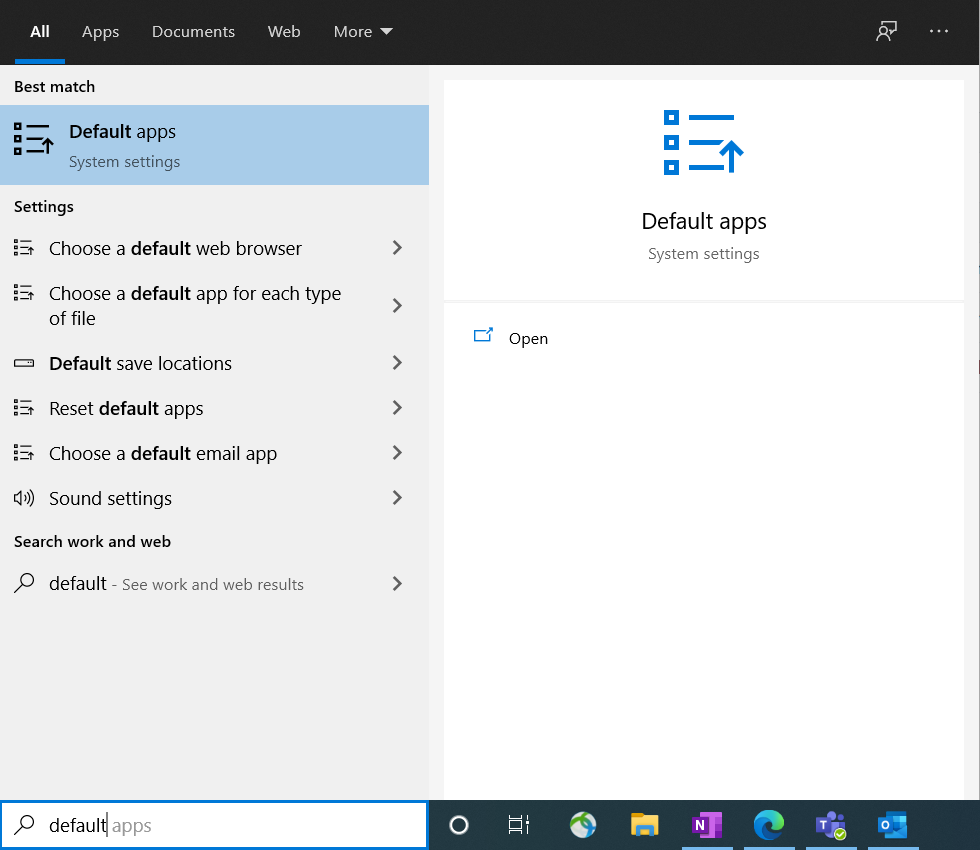
1. Search for Default Apps in the search bar on the bottom left of your screen and click Default Apps.
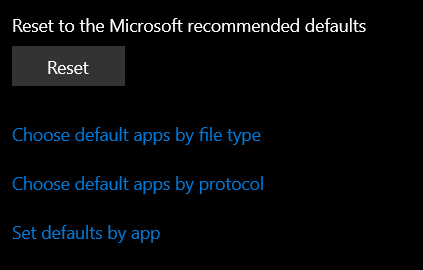
2. Scroll to the bottom of the page and click Set Defaults by App.
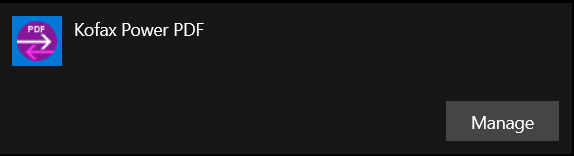
3. Scroll down the list of apps until you find either Kofax Power PDF or Nuance Power PDF and click Manage.
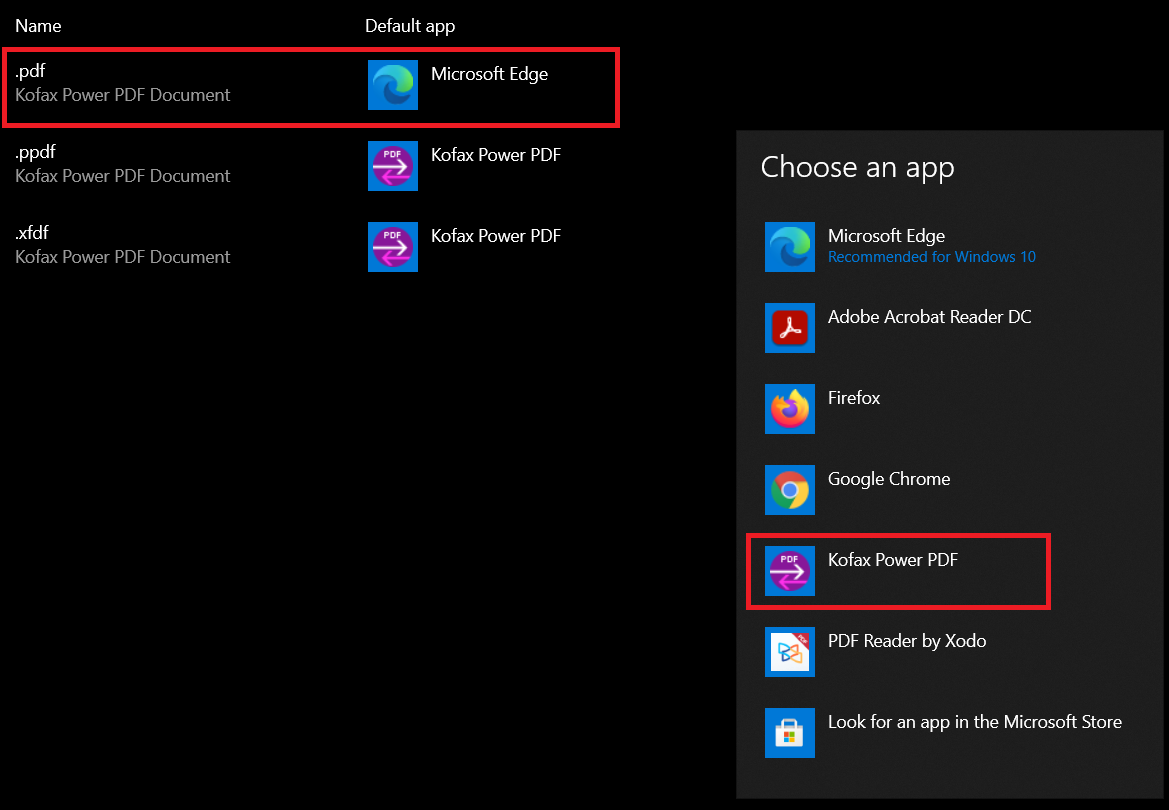
4. Click the default app next to the .pdf extension and then select Kofax/Nuance Power PDF. If prompted, select Switch Anyway.
Comments
0 comments
Article is closed for comments.