
New CAD User Training Agenda
- Vault Profession
- Basics
- Check in/check out software
- How it works
- Local WIP folder
- Log In
- a. Windows Account
- User name & Password
- Server: vault.rettew.com
- Vault: RettewVault
- Automatically log in next session checkbox
- a. Windows Account
- Navigation
- Scroll or search
- Create shortcuts
- Standard files
- Documents
- Details
- Templates
- Files
- History
- Check box to show all versions
- Uses
- Where used
- Preview
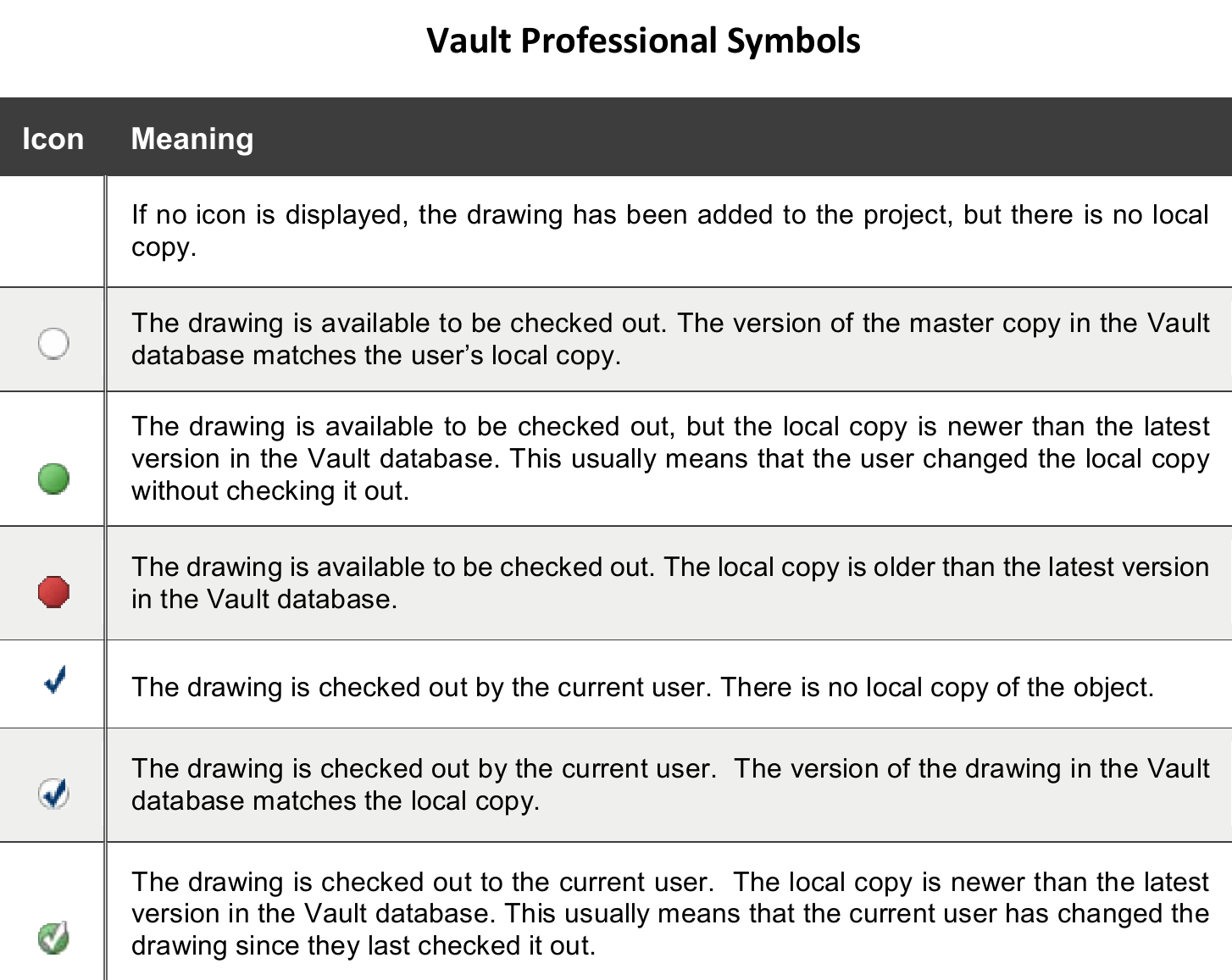
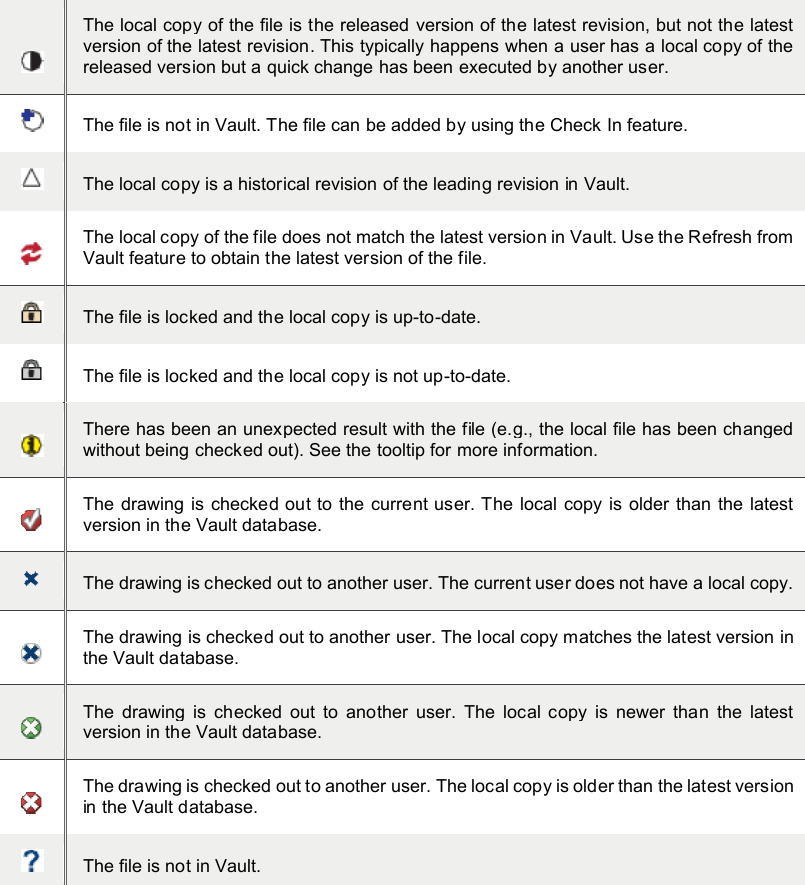
- Icons
- Files and Symbols
- Get latest
- Check out
- Opening a file / C3D checkout or not
- Undo check out
- Check in
- Renaming
- Copy design
- Bring detail into drawing file
- Versions
- Revisions
- Bringing back a previous version
- Keep Vault files clean by reading & understanding all dialog boxes
- Log out
- Basics
- AutoCAD
- Basic drawing settings & setting
- Drawing file names and contents
- How to create new Base drawing using templates
- Xref using overlay only
- Using & understanding UCS
- Using blocks
- Overview of standard layers
- Use of Layer 0 and defpoints
- Layer properties should be by layer
- Use of text callouts
- Use of annotation scales
- Data referencing
- Plotting your drawing
- Exporting the drawing
- Civil 3D objects
- Keep clean drawing
- Remove any unused data
- Drawing Audits
- Vault integration
Comments
0 comments
Please sign in to leave a comment.