
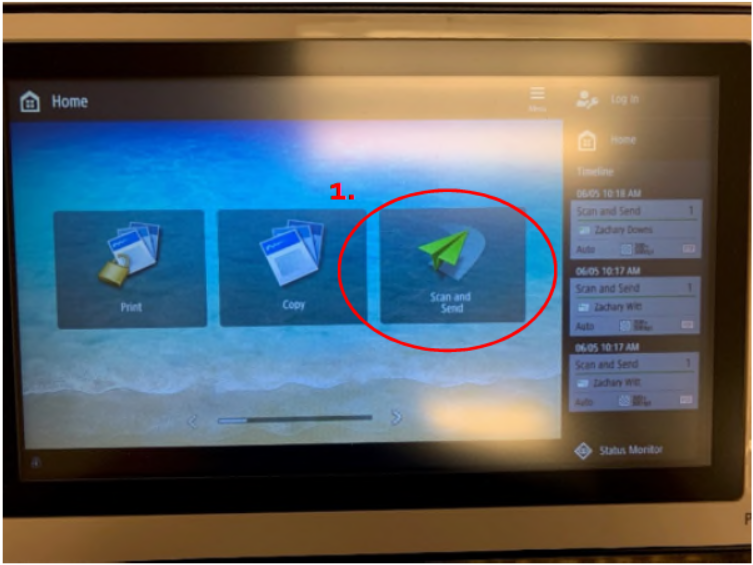
1. Tap Scan and Send on the right-hand side of the screen
2. Tap Address Book
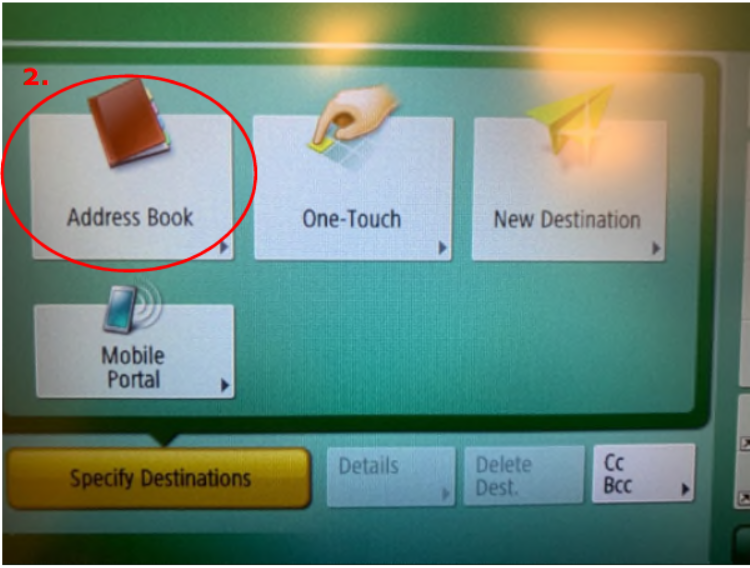
3. Tap To LDAP Server in the upper right hand corner of the screen.

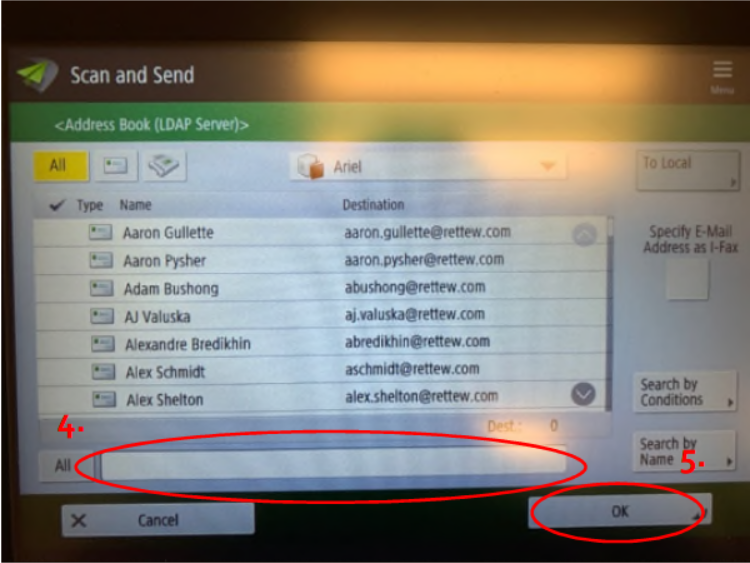
4. Search for the person you want to scan to in the Search Bar at the bottom of the screen.
5. Select their name and tap OK
6. Place the document in the tray and press the green Start
Comments
0 comments
Please sign in to leave a comment.