
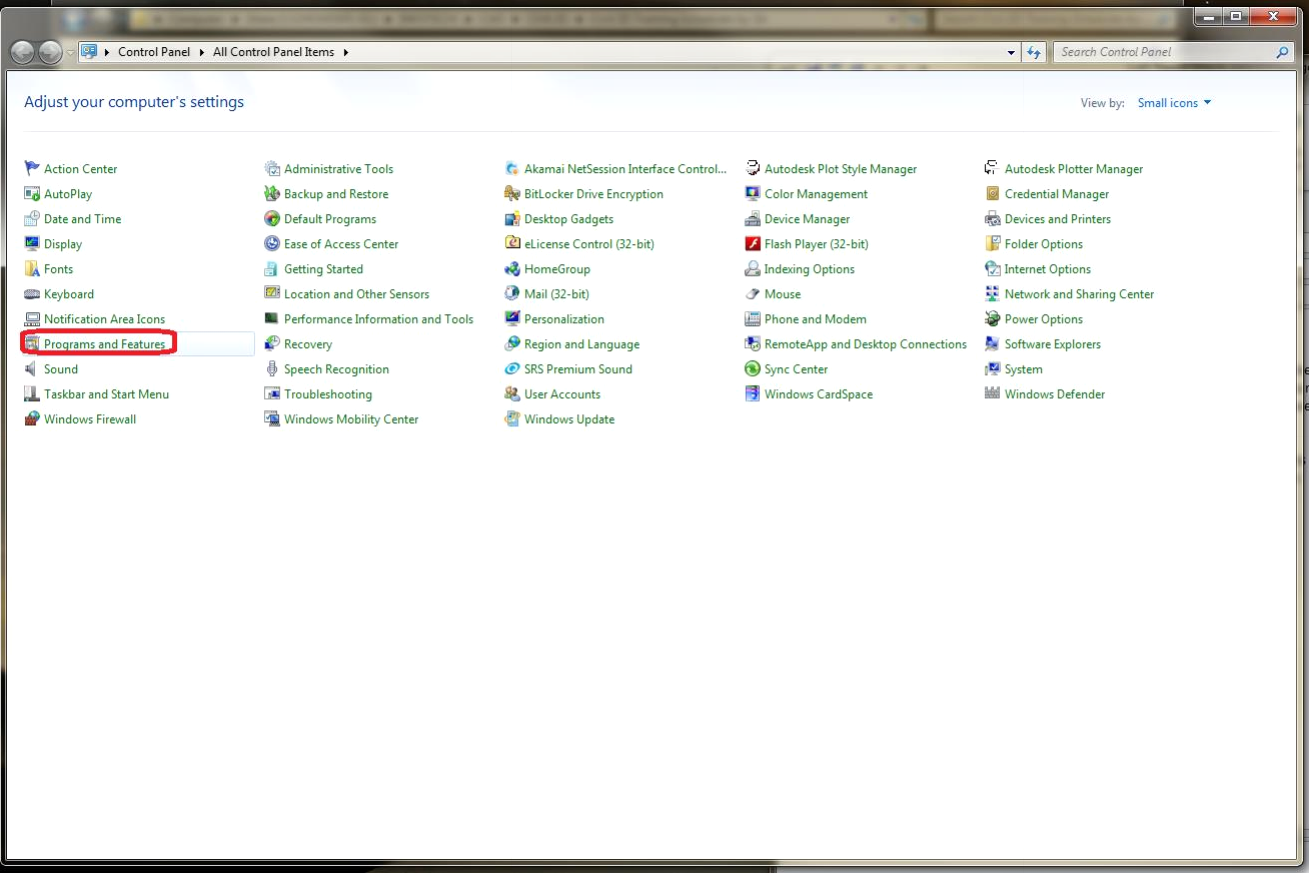
- Go to your CONTROL PANEL
- Pick Programs and features
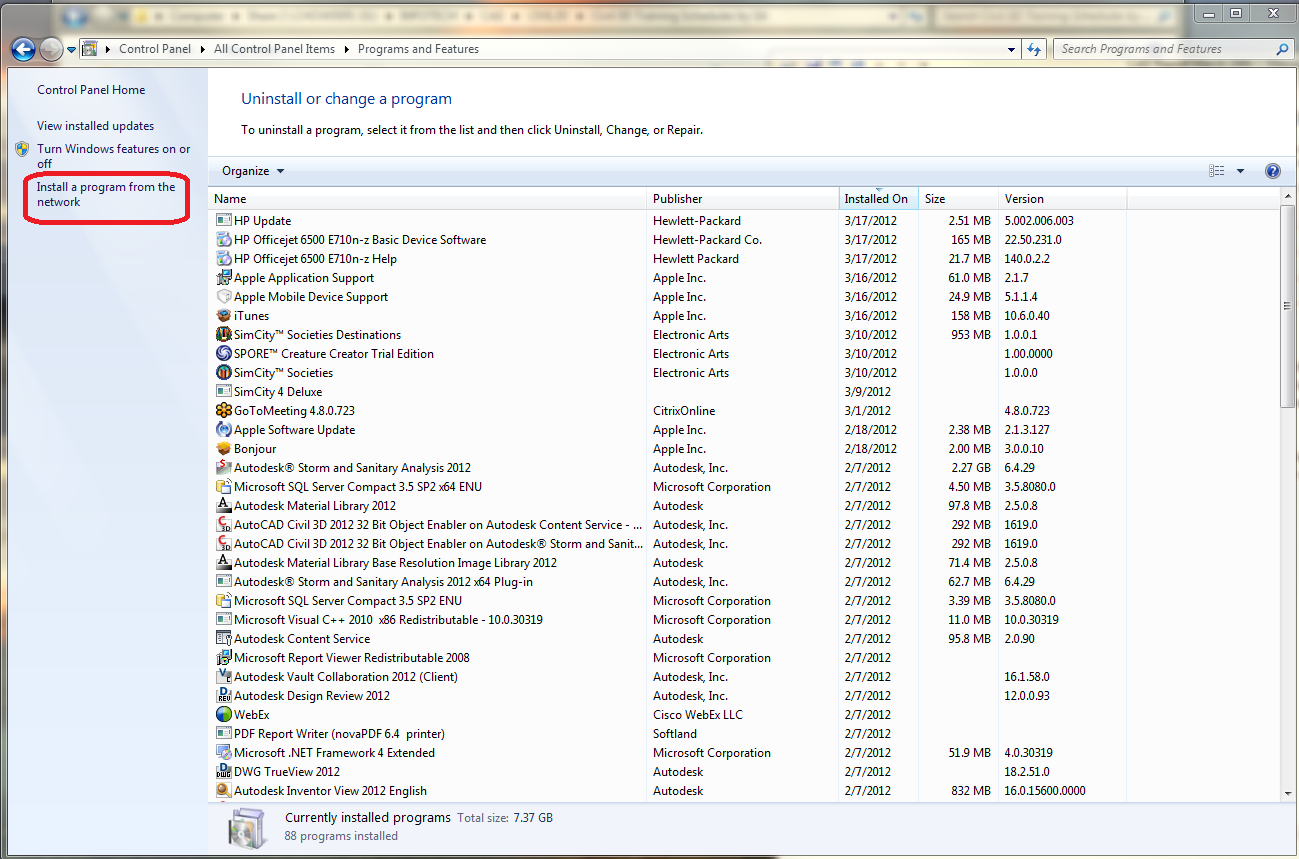
- Select INSTALL A PROGRAM FROM THE NETWORK
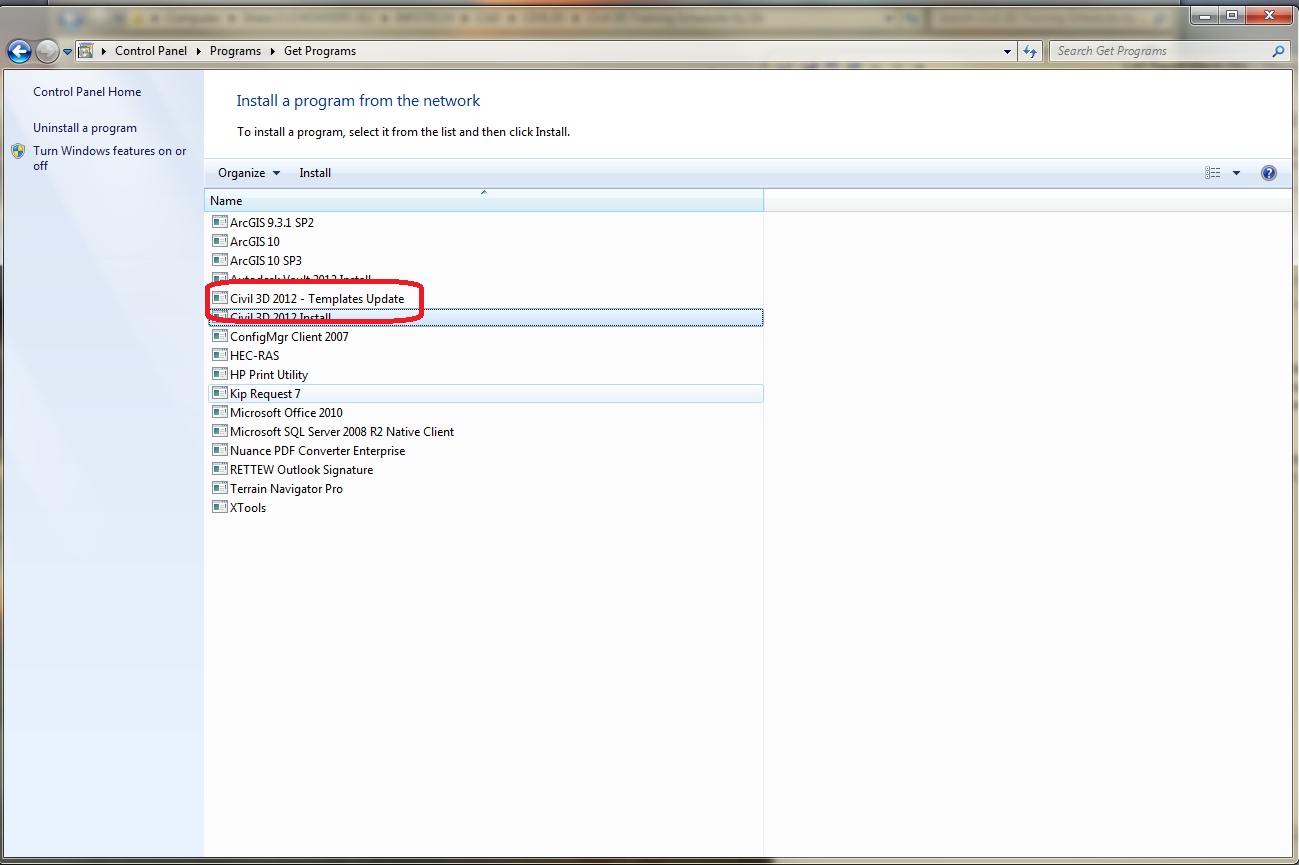
- Select CIVIL 3D 2012 – TEMPLATES UPDATE
- Click OK to begin template updates (once you do this, it will look like nothing is happening, but be patient for a couple of minutes).
- Click OK when prompted Templates update completed.
Comments
0 comments
Please sign in to leave a comment.