
Always always check these settings before performing any import event: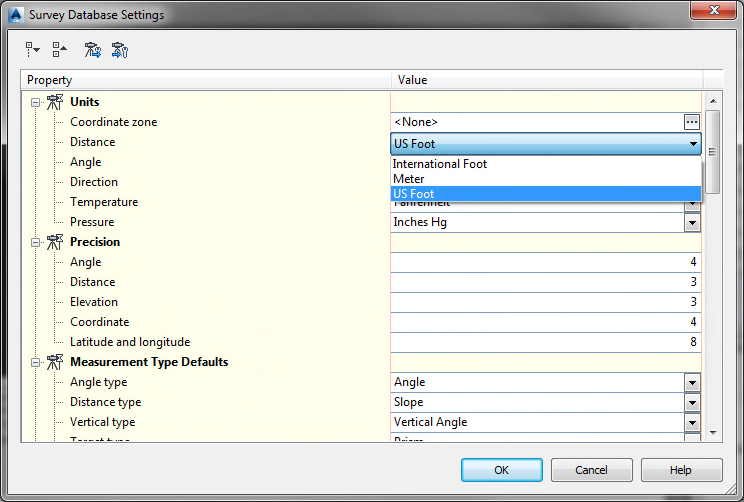
Your pulldown menu will show three (3) choices as shown above. You always want to have “US
Foot” (US Survey Foot) selected as your distance unit, and never “International Foot”.
This should be the default setting on all Civil 3D machines, but we have discovered several
instances where this was not the case.
The setting is accessed during the import event by clicking the button Edit Survey Database
Settings” as shown below:

If you notice that your settings are defaulted to “International Foot”, please
contact either myself, Gama Flores, Eric Yost or Gerry Hesselman so we can look
into it.
Incidentally, if you set the “Coordinate Zone” to a Projected State Plane Coordinate Zone
rather than “<none>”, US Survey Foot is automatically selected as the Distance Unit.
Please always check these settings when importing survey data!
Comments
0 comments
Please sign in to leave a comment.